
By CEDIA - Tue, Jan 20, 2026 - Blog
After installing a fully distributed AV system, the last thing an integrator wants to hear is that there’s been a dropout. These may lead to time-consuming callouts or equipment swaps, not to mention a damaged reputation with clients.
These dropouts are rarely a hardware issue. Instead, they come down to the environment itself. There may be ground loop issues, HDMI-CEC conflicts, or electromagnetic interference (EMI). In this guide, you’ll find a practical troubleshooting workflow to diagnose these symptoms and improve device uptime.

Intermittent dropouts are hard to diagnose because they don’t often leave clues. In many cases, they may be fully functional for days before failing. Rather than hardware, intermittent dropouts are caused by environmental or electrical problems.
The combination of AV ranks, power distribution and HDMIs from mixed vendors makes it even more complex. As integrators, we should eliminate causes – not guess. To find the cause, it’s essential to understand grounding, CECs (Consumer Electronics Control) and power noise.
Ground loop issues are linked to grounding paths – a safe path for electricity to return to the earth. When two devices share multiple paths, there may be unwanted current travelling along audio, video or HDMI shields.
It’s identifiable through symptoms such as:
Thankfully, there are ways to fix ground loop issues. You should check the grounding before replacing hardware, as failures often start with grounding:
While customers enjoy the autonomy of CED, it does mean that devices can control each other. When brands are mixed, it causes looping commands, power cycling or input switching. This can manifest as:
These loops are particularly common in HDMI chains with switchers or matrix systems. To fix them, start by disabling CEC on devices where it’s not needed. Ideally, all brands should be standardised so we can predict their behaviour. To automate functions, choose control processors rather than CED.
Unwanted electrical interference can affect sensitive AV equipment. The source may be high-power appliances, dimmers, HVAC units or even LED drivers. This may be the cause if you spot:
Fixes for power noise and EMI include:
Remember to diagnose by elimination. If the dropout coincides with electrical activity, it’s likely an EMI issue.
If you’re not sure where the source of the dropout is, try the following diagnostic process:
You should replace or re-route only after you’ve ruled out electrical causes.
Wed, Apr 8, 2026
CEDIA Unveils Comprehensive 2026 Education Conference at CEDIA Expo
Wed, Apr 8, 2026
Registration Opens for CEDIA Expo/CIX 2026
Thu, Apr 2, 2026
CEDIA Announced as Official Technology Sponsor of WOW!house 2026
Mon, Mar 30, 2026
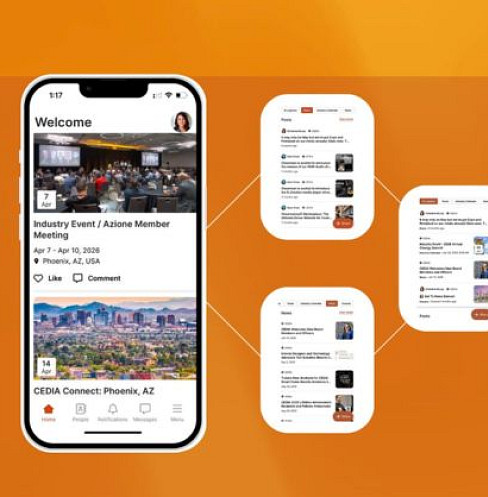
CEDIA Introduces First-Ever Integration Industry Calendar via CEDIA App