
Oct 13, 2026 • Blog, Guides and FAQs

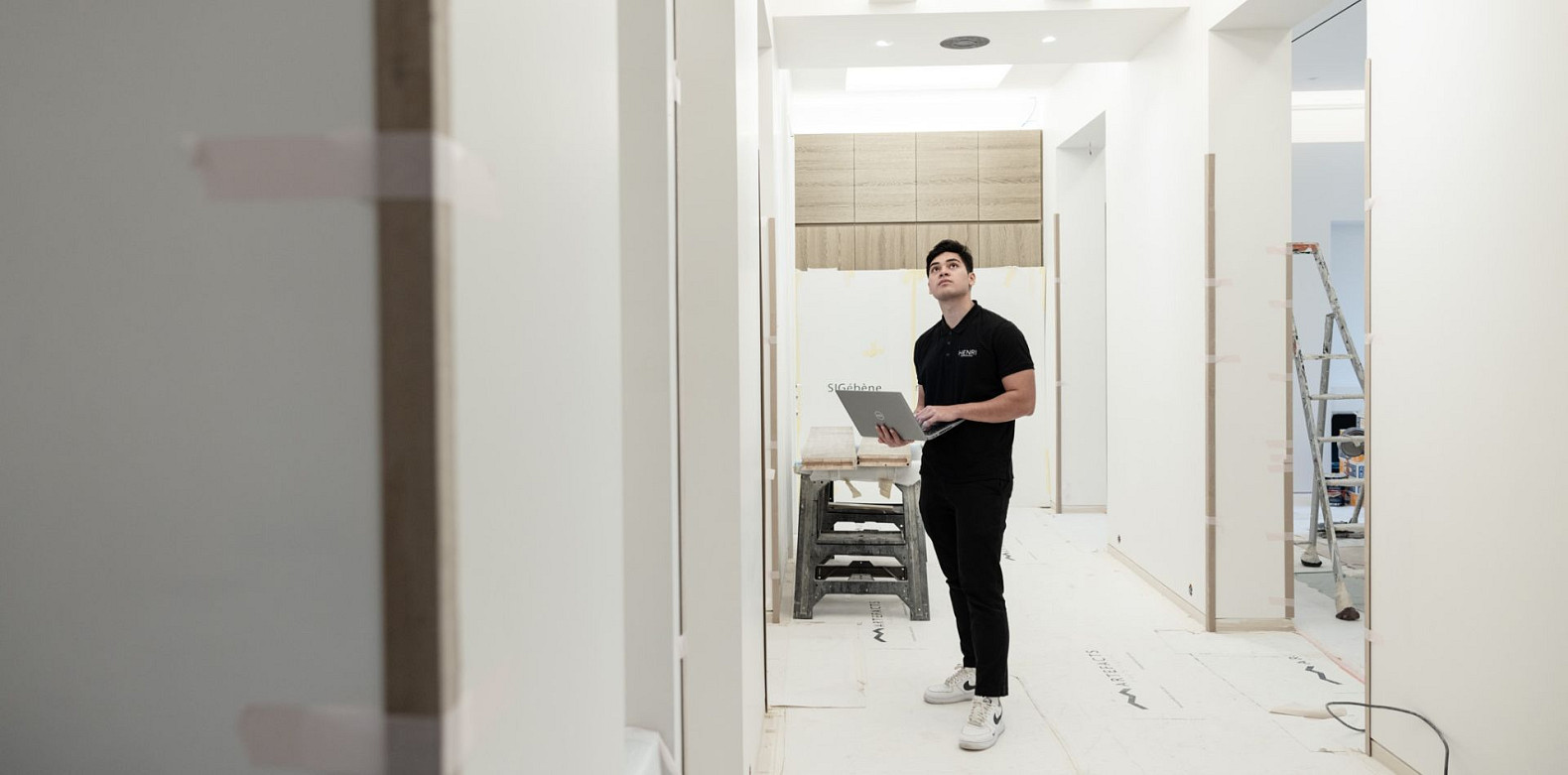
When renovating a property, many people do things in stages. Sometimes, this staggered approach results in homeowners deprioritising the installation of smart home technology. While the importance of tech will vary depending on an individual’s needs, thinking “I’ll add smart home technology later” can be costly.
The renovation window is likely the cheapest moment in a home’s life to install smart infrastructure. It’s considerably easier, and therefore more economical, to run cables before walls are closed and floors are laid. Because of this, smart home considerations should be part of a new build checklist. However, many homeowners treat smart systems as finishing touches rather than as part of the foundational design. Not considering smart needs early on can increase installation costs down the line.
Retrofitting a single cable through a finished wall could cost hundreds because of replastering, redecorating, and additional labour. However, if a smart home installer adds the cable during the build-phase wiring work, it is a simpler task. The same is true for electrical routing, speaker positioning, and the placement of devices. The earlier you consider the infrastructure, the less disruptive the installation will be and the lower the cost.
Smart home decisions that require open walls will have the highest retrofit cost. Putting these on the agenda before your renovator closes the walls will save money and minimise future building work.
If possible, decide where the technology’s central hub will be before building work begins. All cables will need to connect to this point. Positioning a hub once a build is finished is trickier than incorporating it during renovation work.
It’s also important to have high-performance cabling that can cope with a smart home’s connectivity demands. A CEDIA-certified integrator can advise here, but, generally, Cat6A (Category 6 Augmented) or a higher standard is necessary for all data cabling in a smart home. These cables should run across the property, even if you’re not sure whether you’ll need connectivity in every room.
Cable routing is cheaper at first fix, but it can become expensive during a retrofit. Any cabling done during an initial build phase will usually have an invisible finish, so early decisions also improve aesthetics.
If you’re not ready for a smart home system, you can still make future installation easier by advising your builder to install conduit in walls and under floors. This will give you a pathway for future cables without opening anything up.
To prepare for a full smart home integration, think about where you’d like to position control panels and devices. Power and data connections must be routed to these areas before plastering. You might need more power points in certain rooms to accommodate devices.
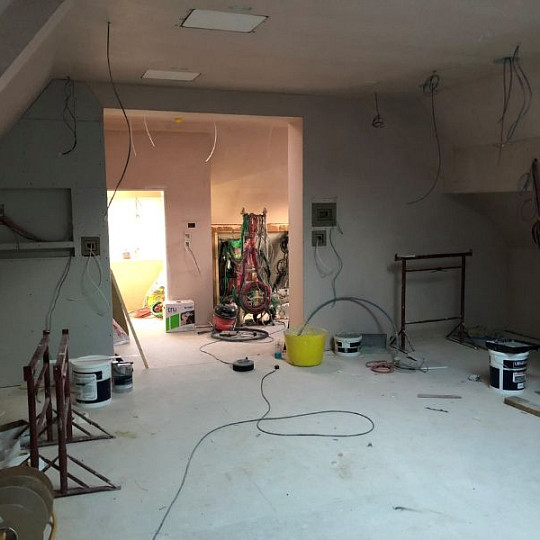
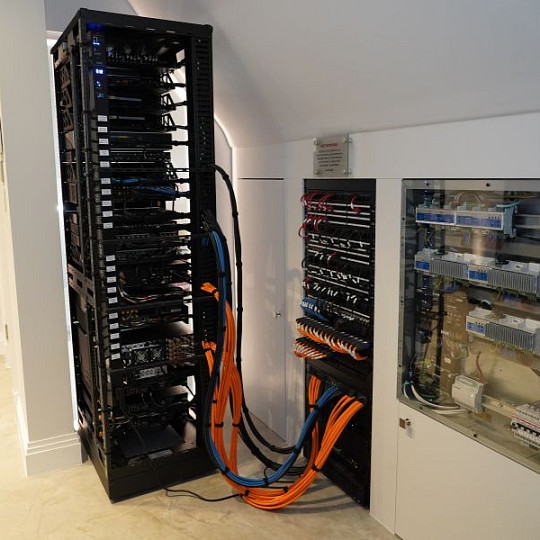
Smart lighting is popular because it can improve energy efficiency, liveability, and even property value. However, it’s also one of the most expensive systems to retrofit because it requires rewiring switches to a central control point.
In a standard lighting setup, switches are wired in a loop, which is different to the wiring smart lighting systems need. With smart lighting, you usually need what’s known as a ‘star’ topology, which involves every individual light bulb, switch, and sensor connecting directly to one central hub or router. It’s a relatively straightforward arrangement when done at first fix. However, it’s a major rewiring and replastering project when only considered after completion.
Even if you’re not installing a smart lighting system from day one, having the right wiring topology makes it possible to upgrade without opening walls later. Future-proofing for smart lighting can save money in the long run even if you don’t want to install the system immediately.
Curious? Check out our smart lighting FAQs.
Smart heating and cooling require zoned infrastructure, which is harder and more expensive to add retroactively. Making decisions related to climate control at the planning stage can lower smart heating and cooling costs.
In a multi-room heating, ventilation, and air conditioning (HVAC) system, you’ll ideally specify pipework, wiring, and valve positions before renovation work begins. It’s particularly important to plan and install underfloor heating at the build stage, as this can’t be added to a finished floor.
Even a basic smart thermostat will perform better when wired in an ideal position rather than added to an existing setup at a later stage.
While it’s often straightforward to upgrade entertainment equipment, it’s not so easy to change cable routing once walls are closed. You can choose speakers and screens down the line, but it’s wise to make audio visual (AV) infrastructure-related decisions during a build or renovation.
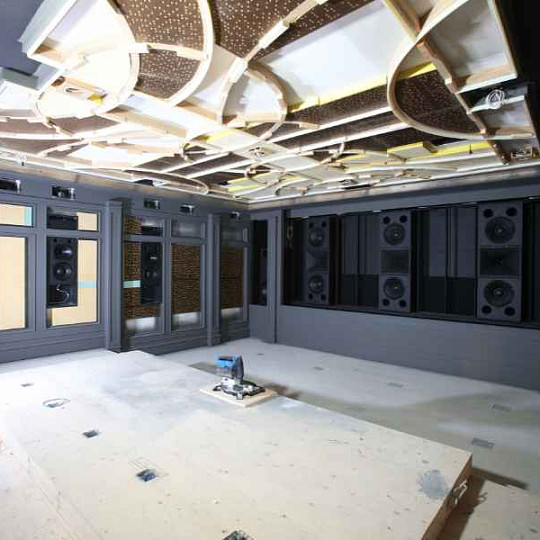
To reduce the likelihood of costly revisions, decide which rooms will have in-ceiling or in-wall speakers and route any speaker cables to those positions before plastering. It’s also worth choosing where you’ll put screens and running connections (like HDMI cables and power supplies) to those wall positions.
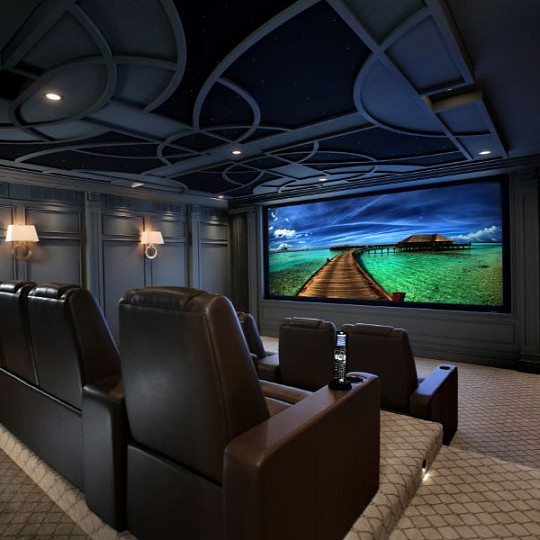
If you’re considering a home cinema or dedicated media room as part of your smart home system, even roughly configuring the room during a build is usually cheaper overall than a complete retrofit later on.
If AV systems are one of your personal smart home must-haves or something you might add in the future, it’s beneficial to consider infrastructure as early as possible.
If you bring in a CEDIA professional at the planning stage of a build, they can brief you on what infrastructure you need to put in at the earliest possible stages. At this point, you don’t need to make decisions on devices, but a CEDIA Smart Home Professional can guide you on how to keep your options open.
To get the most out of initial conversations, share your floor plans with the CEDIA integrator. You can also put them in touch with your builder and architect, which helps them get the information they need. Once the build starts, it also minimises the risk of miscommunications.
Some of the best questions to ask a CEDIA professional as part of your smart home renovation planning include:
A consultation is one of many smart home services a CEDIA member can offer.
The cheapest smart home will be one that has been planned from the start. To get the most out of your smart home investment, maximise cost-saving opportunities during the finite renovation window.
Tue, Oct 13, 2026
Renovations: Smart Home Decisions to Make Early
Sun, Oct 11, 2026
Smart home systems that actually add value when you sell your house

Mon, Oct 5, 2026
What to Ask a Smart Home Installer Before They Start
Wed, Sept 30, 2026
What does a CEDIA-certified Smart Home Professional actually do?