
Dec 10, 2024 • Last Updated: Aug 27, 2026 • Blog, Smart Devices/Appliances

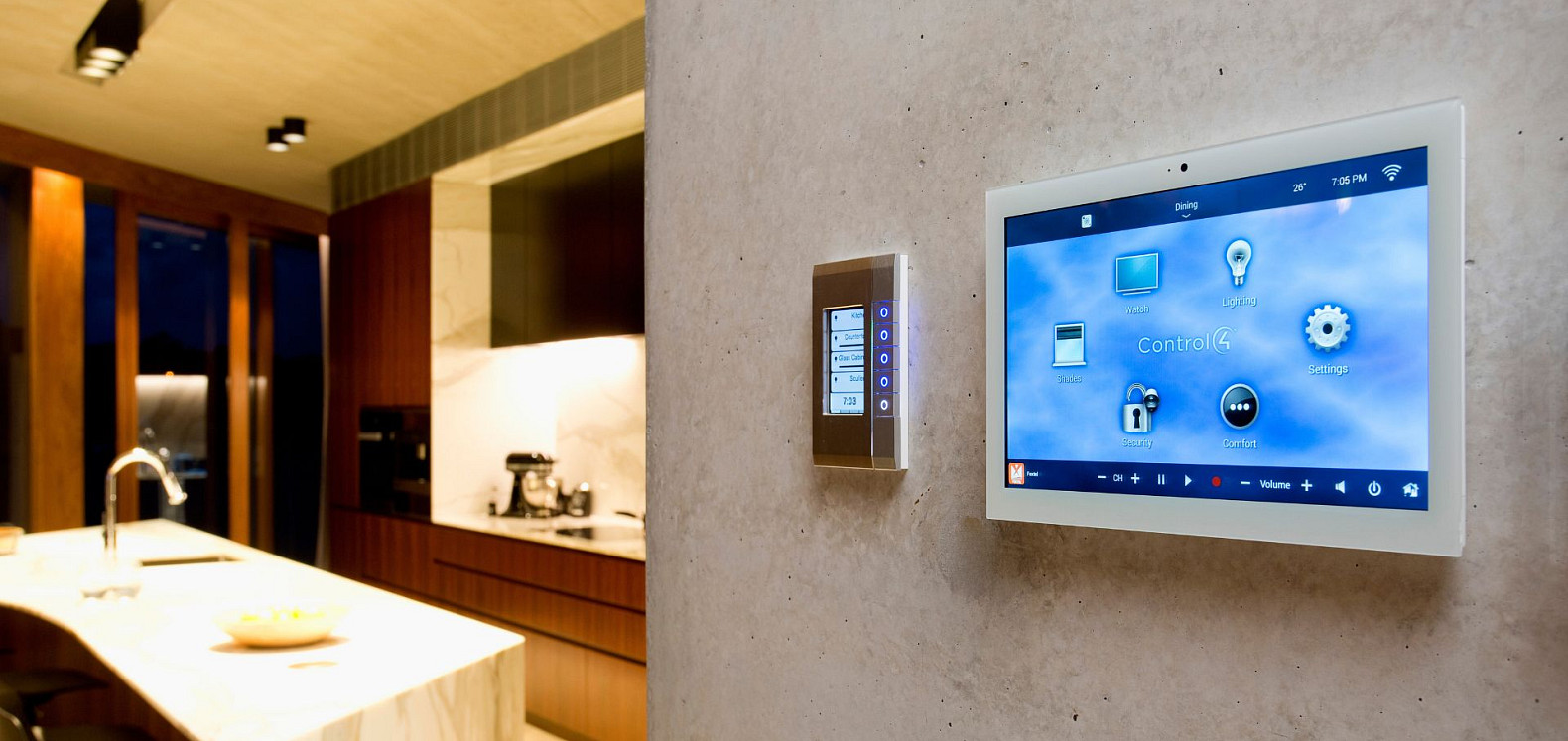
A smart home controller, sometimes called a hub, is a gateway or bridge that connects compatible devices so they can be controlled and automated together. It can bring lighting, heating, security, blinds and entertainment into one coordinated system, rather than leaving you to manage each one through a separate app.
The right choice depends less on the name printed on the controller and more on what you want your home to do. A smart home controller that works well for a few smart lights may not be capable of managing a multi-room installation, providing reliable local control or accommodating future additions.
The controller is also only one part of a dependable smart home. The network, wiring, connected products, programming and everyday controls must all work together. If you are planning several rooms, integrating multiple systems or renovating a property, a CEDIA smart home professional can help you make these decisions before any equipment is purchased.
A smart home controller is a device or platform that manages connected technology around your home. Depending on the smart home system, this could include:
The controller acts as the brain of the system. It receives information from connected devices and uses it to carry out a command, follow a schedule or activate an automation.
For example, saying the “Goodnight” command could switch off selected lights, lower the temperature, lock the doors and arm the security system. A "Leaving Home" scene command might turn off entertainment equipment, close blinds and alert you if a window has been left open. Without an integrated controller, each action may require a different app or control.
You may not need a dedicated controller if you own one or two devices that operate independently. A smart light or thermostat, for example, may connect directly to Wi-Fi and work perfectly well through its own app.
A controller becomes more useful when you want devices from different systems or manufacturers to work together, several rooms to follow the same routines or everyone in the household to have a consistent way to control the home.
Think about everyday situations rather than individual products. How should a guest turn on the lights? What should happen when the last person leaves? Which functions must continue if the internet goes down? These questions reveal more about the controller you need than a comparison of specifications alone.
The terms are often used interchangeably, but they can have slightly different roles.
A smart home hub primarily connects compatible devices and helps them communicate. It may translate between technologies such as Zigbee, Z-Wave and Thread.
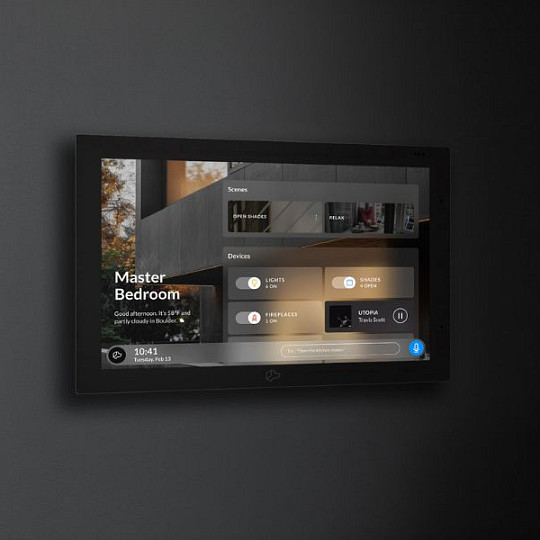
A smart home controller can provide broader management of devices, interfaces and automations. More advanced controllers may integrate lighting, climate, security, shading, audio and video throughout the property.
Many modern products perform both roles. Do not rely on whether a manufacturer calls its product a hub, controller, bridge or gateway. Compare the exact devices and functions it supports, how it operates during an internet outage and how easily it can grow with your home.
These hubs suit straightforward setups based mainly on compatible consumer products. They commonly offer app control, voice commands and simple routines, but the experience can become less consistent when partly supported products require their own apps.
A multi-protocol hub supports more than one connectivity technology. This provides flexibility, but a shared protocol is only the starting point. Two products may both support Matter, Zigbee or Z-Wave and still offer different functions. Check the exact device, controller and feature, not simply the logo on the packaging.
Professional control systems bring multiple technologies together across the home. The controller, network, wiring and connected equipment are planned as one system. A professional should begin with how you live: how guests will use the home, which features are essential and what may change in the future.
This approach is particularly valuable for larger properties, new builds, renovations and projects covering several rooms. Explore what is possible with full smart home integration.
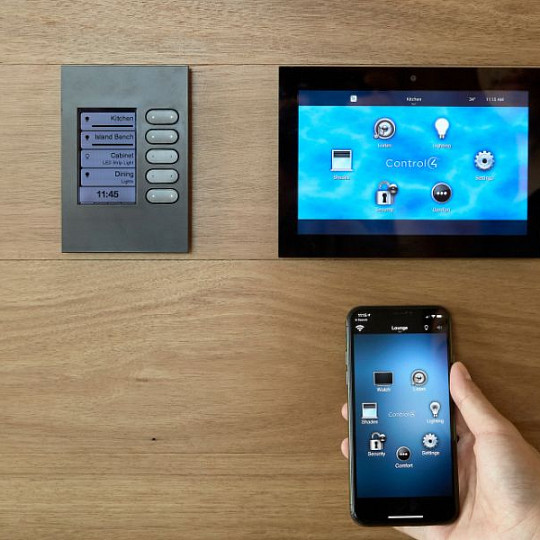
Use the following criteria when comparing your options:
| Factor | What to check |
|---|---|
| Device compatibility | Whether the controller supports the devices and systems you already own or plan to purchase |
| Connectivity | Support for relevant technologies such as Matter, Thread, Zigbee, Z-Wave, Wi-Fi and Bluetooth |
| Local or cloud control | Whether important controls and automations can continue if the internet connection is unavailable |
| Security | Encryption, account protection, user permissions and the manufacturer’s security-update policy |
| Automation | Whether the controller can create the routines, scenes and conditional actions you want |
| Control options | Availability of apps, voice control, keypads, remotes, switches and touchscreens |
| Ease of use | Whether everyone in the household can use the system confidently |
| Scalability | Whether you can add more devices, systems and rooms later |
| Support | The technical support, warranties and professional assistance available |
| Maintenance | How software updates, replacement devices and future upgrades will be handled |
Avoid choosing for the home you have today alone. A cheaper controller can become an expensive decision if adding another room, replacing a device or integrating a new system later requires substantial reworking.
Smart home devices use different technologies to communicate. Your controller must support both the connection method and the functions required from each product.
Matter can make product selection easier, but it does not replace every underlying connectivity technology or guarantee that every feature will work on every platform.
Property size, construction materials, interference and equipment placement can affect performance. The controller cannot compensate for an unreliable home network, which is why networking should be considered during system design rather than after installation.
A locally controlled system processes supported commands inside the home, so essential functions can continue during an internet interruption. A cloud-based controller relies on external servers for some or all commands, making certain features dependent on the connection and service provider. Many systems combine local everyday control with cloud-based remote access, updates or voice services.
Before choosing a controller, ask two direct questions:
A DIY controller can be a sensible choice for a small, straightforward setup. Professional involvement becomes more valuable when several rooms, systems and technologies must operate reliably together.
| DIY | Professional installation |
|---|---|
| You have a few compatible devices | You want lighting, climate, security or entertainment integrated |
| You need simple routines | You want personalized scenes and more advanced automation |
| You enjoy configuring and troubleshooting technology | You want the system designed, installed and tested for you |
| You do not expect significant expansion | You plan to add rooms, devices or systems later |
| You are not making major changes to the property | You are building, renovating or rewiring a home |
A professional establishes your requirements, plans the infrastructure, checks compatibility and makes the system straightforward to use. For a new build or renovation, involve one before walls and finishes are completed so cabling, equipment, wireless coverage and future additions can be planned early.
Read Do I Need a Smart Home Installer? for more help deciding which route fits your project.
A professionally installed smart home is an investment in your property. A CEDIA member can consider the controller, network, wiring, connected equipment and everyday controls as one complete system.
The process should begin with your lifestyle, property and budget rather than one manufacturer. By checking products, protocols and the network together, a professional can reduce the risk of incompatible equipment, unreliable performance and disconnected apps. They can also plan for future additions and explain what documentation, updates, warranties and aftercare will be provided.
CEDIA members agree to follow the CEDIA Code of Ethics, including commitments concerning truthful information, written contracts, safety, professional development and standards of conduct.
Use these questions when speaking to a smart home professional or comparing proposals:
A good proposal will explain how the system meets your requirements, what is included and how it will be supported after installation, not simply to give you a product name.
For further advice, read CEDIA’s Smart Home Professional Hiring Guide.
Not always. Some devices connect directly through Wi-Fi or their own apps. A hub becomes useful when you want multiple devices and systems to communicate, use shared automations or operate through one central interface.
The terms overlap. A hub generally connects compatible devices, while a controller may manage more extensive systems, interfaces and automations. Many products perform both functions.
It depends on the system. Controllers with local processing can continue operating supported devices and automations, while cloud-dependent functions may become unavailable. Confirm exactly what operates locally before choosing.
Yes, provided it supports the required systems, devices and connectivity technologies. A whole-home installation normally benefits from professional design because controller capacity, networking, wiring and usability must be considered together.
Seek professional advice when integrating multiple systems, covering several rooms, planning a new build or renovation, or when reliability, security and ongoing support are priorities. Early involvement gives the professional more opportunity to plan suitable infrastructure and avoid costly changes later.
Tue, Oct 13, 2026
Renovations: Smart Home Decisions to Make Early
Sun, Oct 11, 2026
Smart home systems that actually add value when you sell your house

Mon, Oct 5, 2026
What to Ask a Smart Home Installer Before They Start
Wed, Sept 30, 2026
What does a CEDIA-certified Smart Home Professional actually do?